My Homelab, My Rules
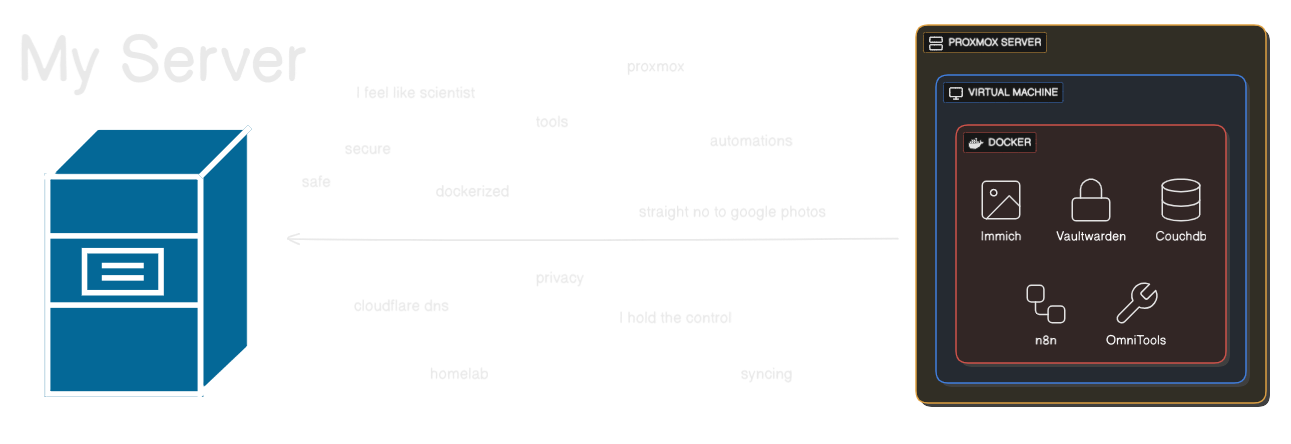
My Homelab, My Rules#
…and why it became the one place where everything finally feels mine#
There’s something romantic about a homelab.
Not in the candle-light-dinner way — more like “this is my little universe, running on wires and willpower.”
Mine wasn’t built from money, or ambition, or some enterprise-grade rack server humming in a basement.
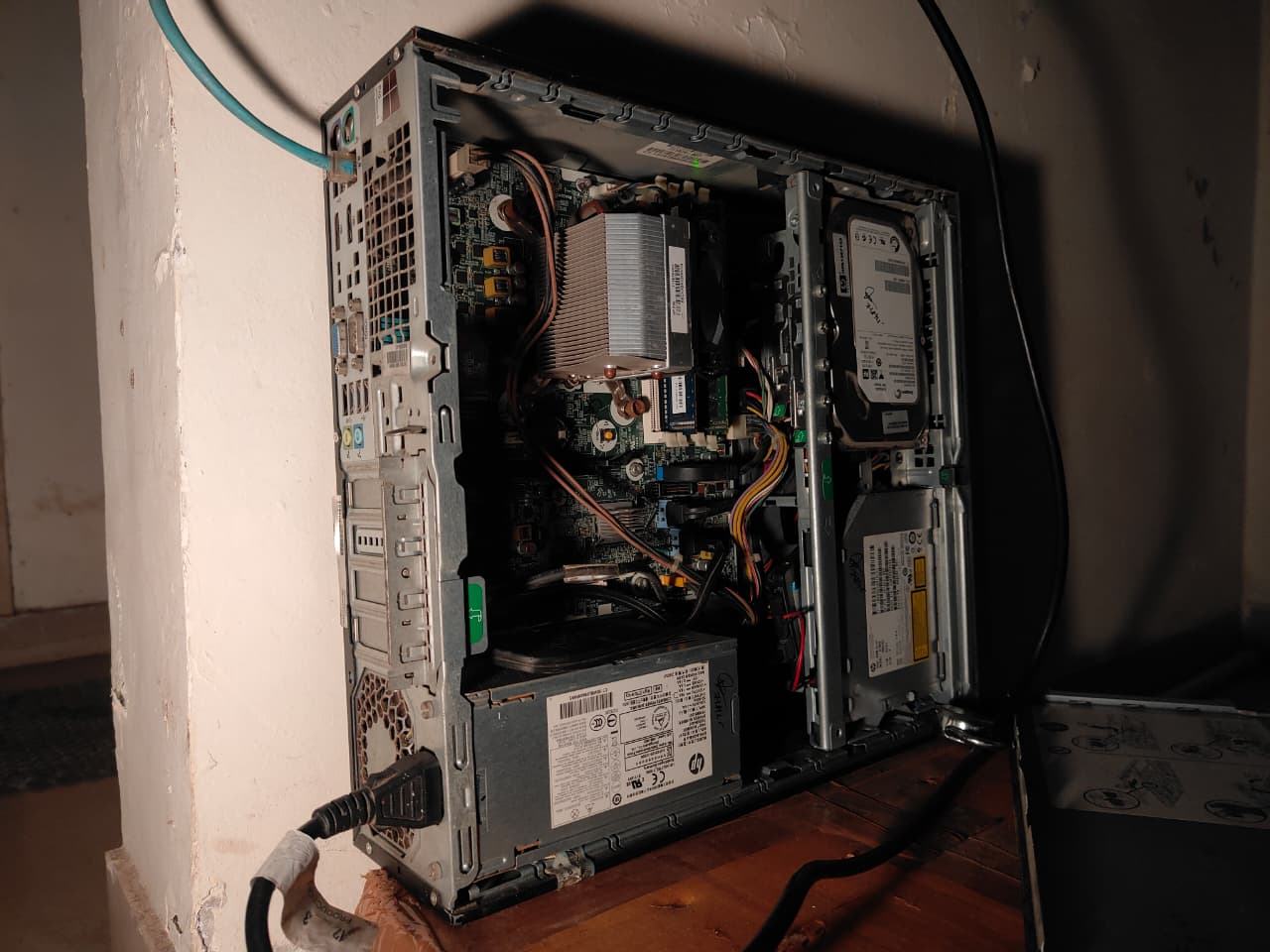
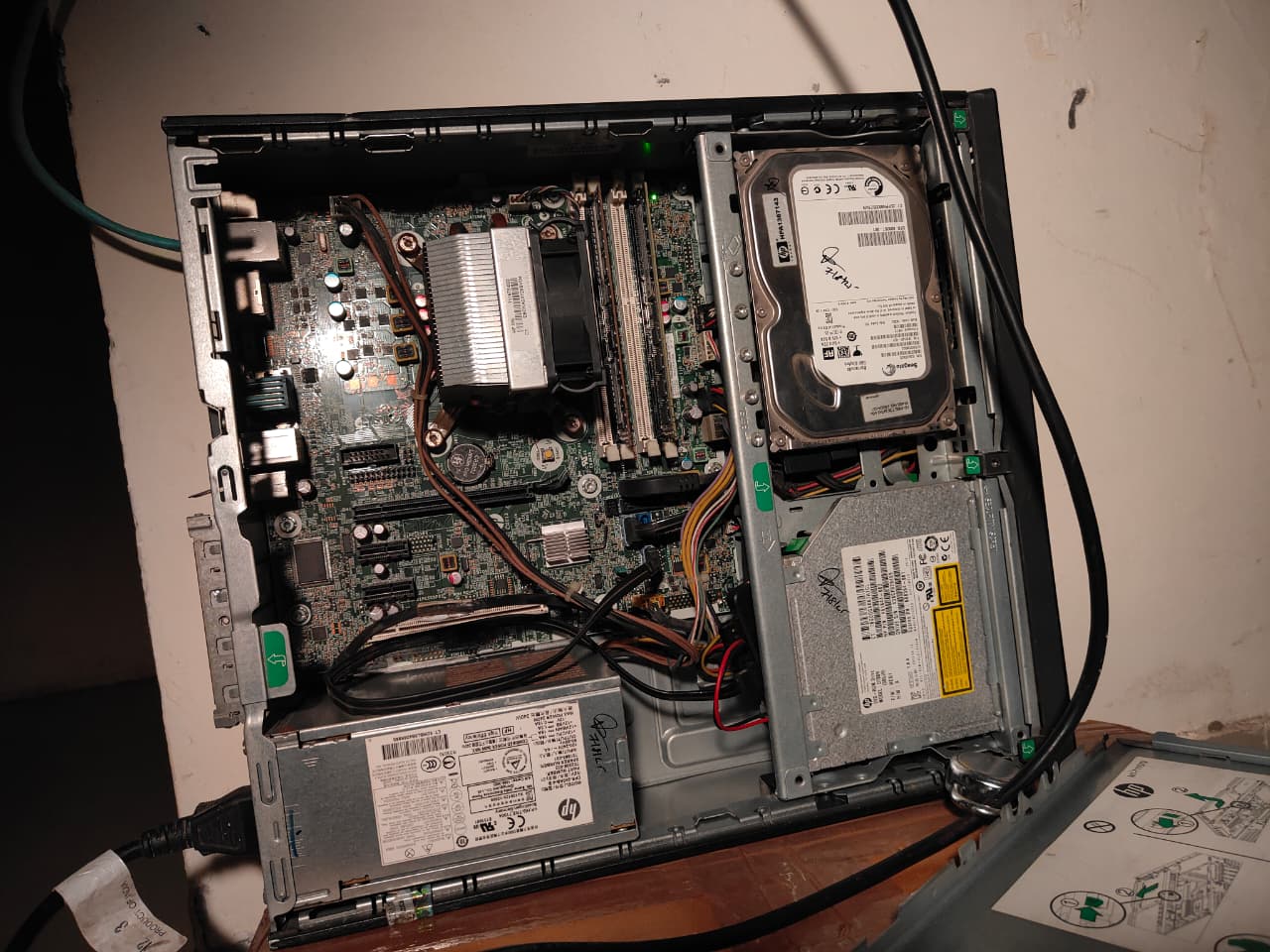
It started with one freelance job and a second-hand HP EliteDesk 800 G1 SFF — an aging i5 4th Gen, 8 GB of DDR3, a 128 GB SSD, and a 500 GB HDD that had probably lived several lives before ending up with me.
Nothing fancy. Nothing expensive.
Just enough.
And enough is powerful when you actually know what you want.
Some pictures of server seating in the corner#
Why I Even Wanted a Homelab#
I’m the kind of person who gets uncomfortable giving strangers my data — especially trillion-dollar strangers.
Google Photos deciding the fate of my memories?
A SaaS password manager holding my entire digital existence?
Online tools storing my documents because I needed to compress a PDF?
No. Absolutely not.
I wanted a place that was:
- Private
- Cheap
- Mine
- And fun to break without consequences.
Cloud services try to protect you from yourself.
A homelab says, “Here’s root access. Good luck.”
That’s my love language.
The Brain: Proxmox on Old Hardware#
I wiped the machine, installed Proxmox directly on the 128 GB SSD with ext4 (ZFS refused to boot on this grandpa system), and suddenly this dusty corporate PC became a playground.
A playground where I could break things, fix things, and rebuild things at 3 AM because I felt like it.
Nothing Is Public-Facing — And That’s the Magic#
People flex self-hosted setups with reverse proxies, DNS records, Cloudflare tunnels…
Cool setups, sure.
But I didn’t want the internet anywhere near my stuff.
So I built an isolated little universe:
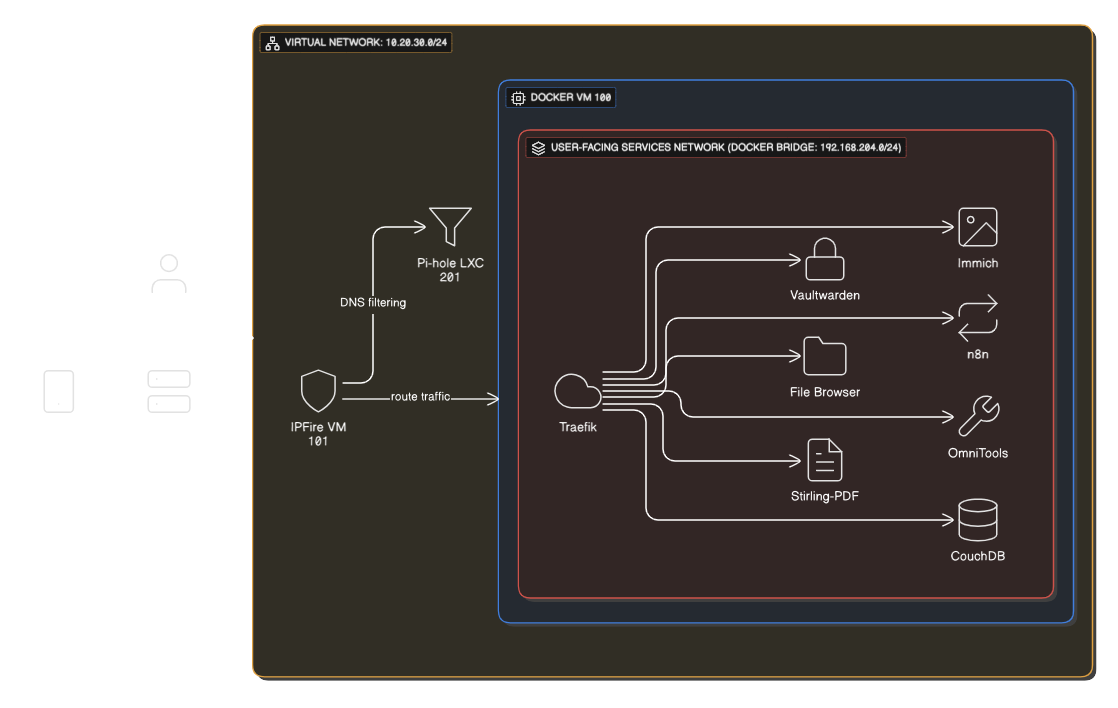
- A virtual network (10.20.30.0/24)
- A virtual router (IPFire)
- A virtual DNS (Pi-hole)
- A VPN gatekeeper (NetBird)
- A reverse-proxy layer (Traefik)
- DNS management via Cloudflare
If I’m outside my house, I open NetBird, connect, and boom — I’m inside my homelab like I never left.
No exposed ports.
No reverse proxy stress.
No “rate-limited by Let’s Encrypt.”
Just… peace.
The Network Diagram (My Tiny Internet)#
The Proxy Network — A Private Layer for User-Facing Apps#
To keep everything locked down and under my control:
- I created a dedicated Docker bridge network called
proxywith subnet 192.168.204.0/24. - Every container that serves a UI or web service to me runs inside this network—Immich, Stirling-PDF, Vaultwarden, OmniTools, etc.
- Traefik is the only container exposed to the outer virtual network (10.20.30.0/24) via the Docker host. It handles all inbound routing, TLS termination, and service discovery.
- Internally, no other container has direct host-LAN exposure. Services communicate only via the
proxynetwork and Traefik rule sets. - External access is only via the VPN (NetBird). No public ports are exposed, no “open to the world” services.
- DNS is managed by Cloudflare, but the subdomains resolve only inside the VPN-linked environment.
- This architecture gives me:
- Strong network isolation
- Centralized, manageable ingress (Traefik)
- Minimal attack surface
- Control over service routing and TLS certs
- Peace of mind
In short: everything user-facing is behind one gate. I hold the key.
The Services I Run (and Why They Matter to Me)#
1. Immich — My Photos, My Rules#
Google Photos is convenient until it isn’t. Until they change a policy. Until they lock an account. Until your entire visual history depends on a corporation’s mood.
Immich lives on my HDD. No charges. No compression. No unknown eyes.
It’s the first time my memories feel truly mine.
2. Vaultwarden — Passwords Shouldn’t Live in Someone Else’s Building#
A local password manager hits different.
No breach headlines. No tracking. And it gives me Bitwarden premium features (TOTP!) without the premium price.
Self-hosting this was the moment I realised:
“Privacy doesn’t require money. Just intent.”
3. NetBird — My Portal Back Home#
I love the feeling of opening NetBird on my phone miles away and suddenly being inside my homelab like I never left.
It’s magic. WireGuard-powered magic.
4. Traefik — The Entry Gate I Control#
Traefik handles all the routing of services inside my virtual network. It dynamically discovers containers and maps domains internally, while I manage DNS via Cloudflare. It also manages TLS certificates via Let’s Encrypt, keeping everything secure without manual certificate juggling.
5. Cloudflare DNS — Domain Management, My Terms#
Instead of relying solely on dynamic IPs or exposing ports to the world, I use Cloudflare for DNS management. Cloudflare’s protections let me keep things under my control without surrendering my data.
6. n8n — Automation Without Asking Permission#
Cloud automation tools treat you like a child: “You’ve hit your free limit.” “You can run only X workflows.” “Upgrade to Pro.”
n8n is like:
“Do whatever you want, I don’t care.”
And I love that energy.
7. Obsync (CouchDB) — My Obsidian, Synced Like a Superpower#
There’s an extension called “Self-hosted LiveSync” that syncs Obsidian via CouchDB.
I added a CouchDB Docker container. Connected it. And my notes sync faster than most paid sync services.
Also: Zero cloud. Zero tracking. Zero dependency.
8. OmniTools — A Toolbox That Doesn’t Sell My Files#
Image converters. Document compressors. All local. All private.
Because sending a passport scan to some random website just to make it 2 MB smaller always felt like a horror story waiting to happen.
9. Stirling-PDF — My Document Converter, My Terms#
I recently hosted Stirling-PDF, an open-source PDF conversion/processing service. No external service. No hidden tracking. If I need to generate or convert PDFs, it happens in my domain, controlled by me.
Subdomains? Yes. Public? Never.#
I use private DNS names like:
immich.pve.razobeckett.xyz
vaultwarden.pve.razobeckett.xyz
pihole.pve.razobeckett.xyz
stirling-pdf.pve.razobeckett.xyz
They resolve only inside the NetBird network (and via internal DNS + Traefik) and through Cloudflare-managed DNS. From the outside world, these domains don’t even exist.
Why This Homelab Means So Much to Me#
It wasn’t built with expensive hardware. It wasn’t built with enterprise gear. It wasn’t built because I “needed” it.
It was built because:
- I wanted to own my data
- I wanted to learn
- I wanted to break things without consequences
- And because it feels good knowing your world runs on your terms
Most people chase the cloud. I chased control.
Future Upgrades#
- More RAM
- A small NAS
- ZFS someday
- Monitoring (Grafana + Prometheus)
- UPS for power cuts
But honestly? Even if I never upgrade anything, this setup already gives me something priceless:
A private corner of the internet that belongs only to me.
Final Thoughts#
This homelab isn’t perfect. It’s not powerful. It’s not impressive by enterprise standards.
But it’s real, and it’s mine, and it was built with intention.
We live in a world where companies want your photos, your passwords, your notes, your documents, your habits, your life.
My homelab is my way of saying:
“No. I’ll take it from here.”